LibreDB Studio
MIT · free · self-hosted · community support
The full editor. Every engine, every capability, no seat count and no enterprise tier. This is what most people need.
What MIT lets you do →Self-hosted · free for 1 admin + 3 users
LibreDB Platform puts one door in front of every database your team uses. Admins decide who reaches which database, people sign in with the company’s single sign-on, every query is logged against a name — and nobody is ever emailed a password. It runs on your own servers, next to your data.
Join the waiting list Watch the 60-second tour
See it work
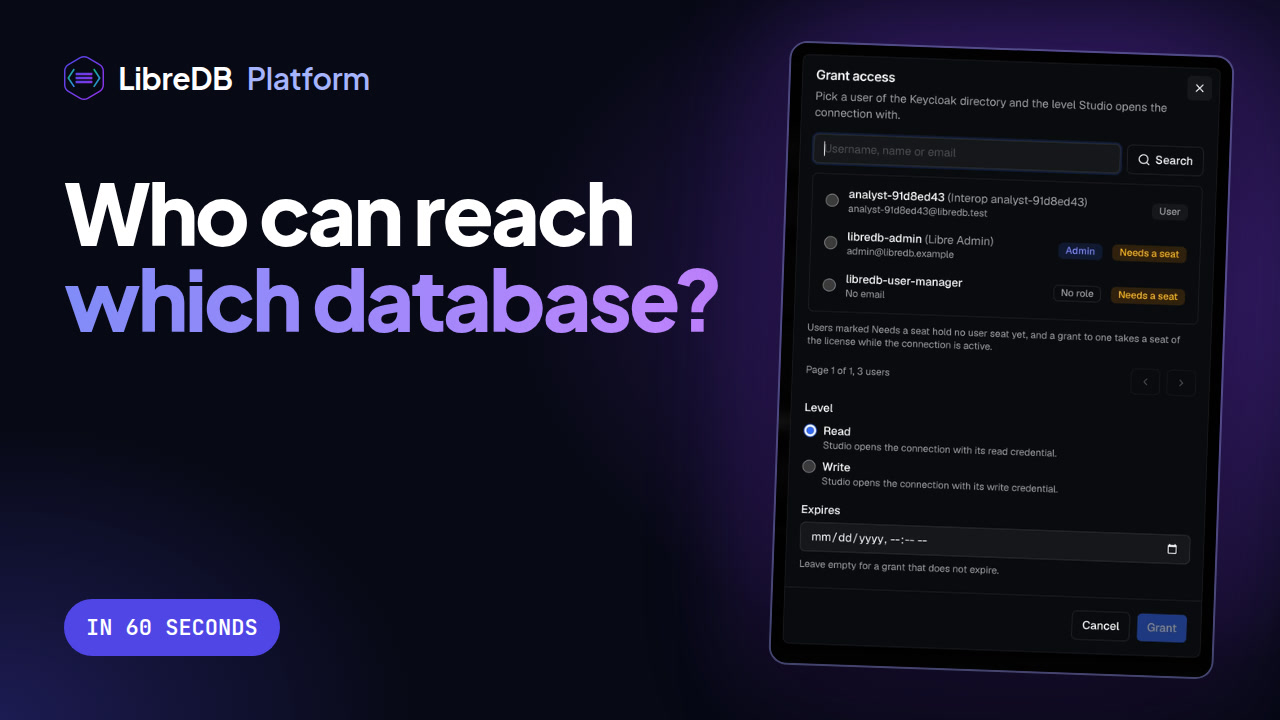
An admin registers a database, grants it to one analyst, and takes it away again — with the audit log watching the whole time.
The player loads from YouTube when you press play. Watch on YouTube ↗
What teams get
Everything here answers one question — who reached which data, and when. Nothing here is an editor feature held back from Studio.
People sign in through Keycloak single sign-on, connected to the identity provider you already run. Joiners and leavers stay one system’s problem.
Database credentials are sealed to Studio’s public key when an admin registers a connection. People get access to a database — never its password.
Grant a connection to a named user from the access panel, read-only or with write. Revoke it and it is gone from their Studio — no password to rotate.
The audit log shows each query with who ran it, how long it took and how it ended. Accountability your auditors can read, not telemetry.
Six system roles — Platform Admin, Platform Tech, Platform Support, Tenant Admin, Editor and Viewer — plus custom roles of your own.
Your analysts work in LibreDB Studio, the full editor for every engine. Its settings are set once from Platform and apply without a restart.
Before you start
Open core
Studio is not a trial of Platform. No capability was moved across this line to create a reason to upgrade — what Platform adds is an organisation's need for someone accountable for access, not the editor working properly.
MIT · free · self-hosted · community support
The full editor. Every engine, every capability, no seat count and no enterprise tier. This is what most people need.
What MIT lets you do →Self-hosted · Elastic License 2.0 · paid beyond 4 seats
Governance on top of that editor, for an organisation that has to answer who reached which data, and when. The licence is free for 1 admin and 3 users for 12 months; more seats are paid. It is here so the part that costs money is visible rather than hidden.
Join the waiting list →Free licence · 1 admin and 3 users · 12 months
The licence for 1 admin and 3 users is free for 12 months — no card, nothing to buy. Need more seats? Those are paid, and we will send a price for the number you need. Tell us your organization and the domain Platform will run on, and we will come back with a licence key and the installer.
We use cookies to analyse site traffic and improve your experience. See our Privacy Policy for details.